WIP - Oracle Cloud
Personal Architecture
11 May 2026

Description
The Goal: The primary goal of this project is to create an architecture that fulfills these following needs/requirements:
1) Host a Virtual Private Network (VPN) control server so that my other devices could all communicate with each other as if they were in a local network (crucial for self hosting).
2) Host a dedicated game server (like Minecraft for example).
3) Have the flexibility to run other cloud resources in the future when new cloud project ideas pop up.
All of these must be implemented without exceeding the free forever tier limits of Oracle Cloud.
Oracle Cloud has Free Forever Resources which, if you do not exceed your usage limits, will literally remain free forever! This is my architecture I have come up with to allow me to utilise free cloud resources for my own projects and use cases.
Cloud Resources - Provisioning & Managing Bootstrap Cloud Resources
Before all the resources mentioned above in the below section can be provisioned, it is crucial that the underlying foundation of the cloud architecture is established first.
The foundation would include:
1) KMS Vault: To hold any secrets and a master key used to allow all data held by the workload resources to be encrypted
2) KMS Key: The master key used to encrypt/decrypt data encryption keys (basically separate keys that exist within the data storage’s location)
3) An Object Storage: for storing Terraform State file of the resources mentioned in the above section
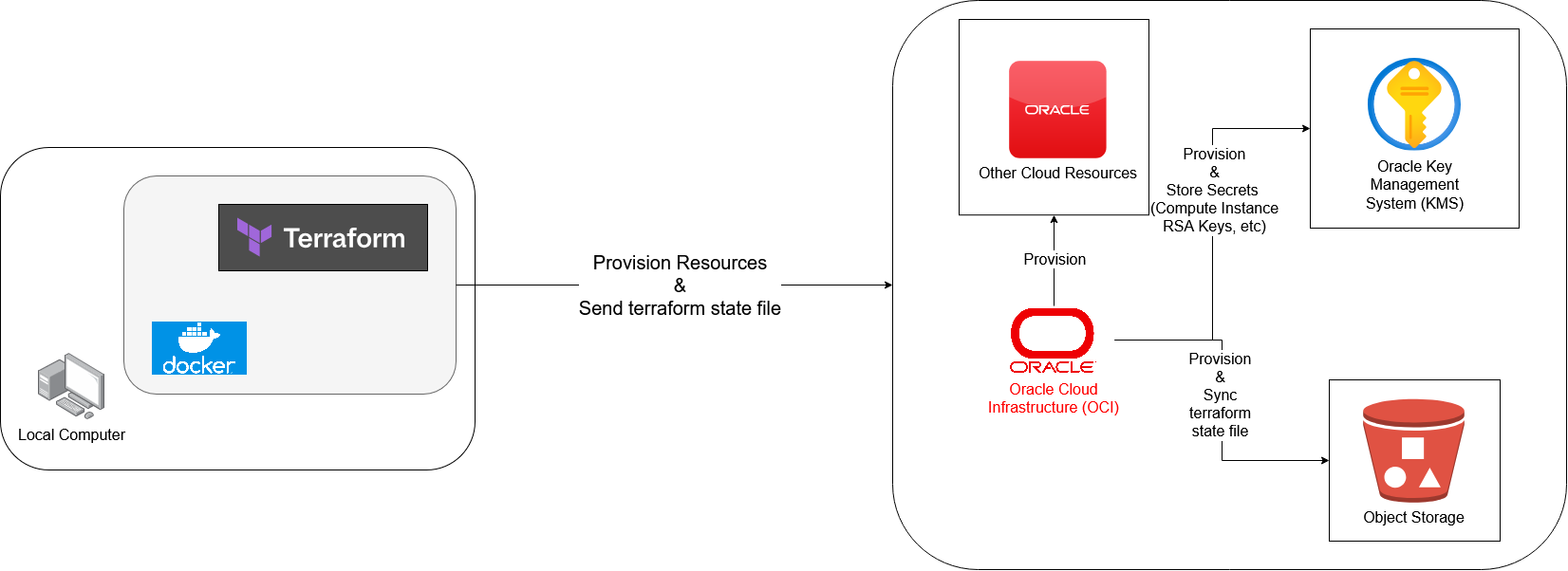
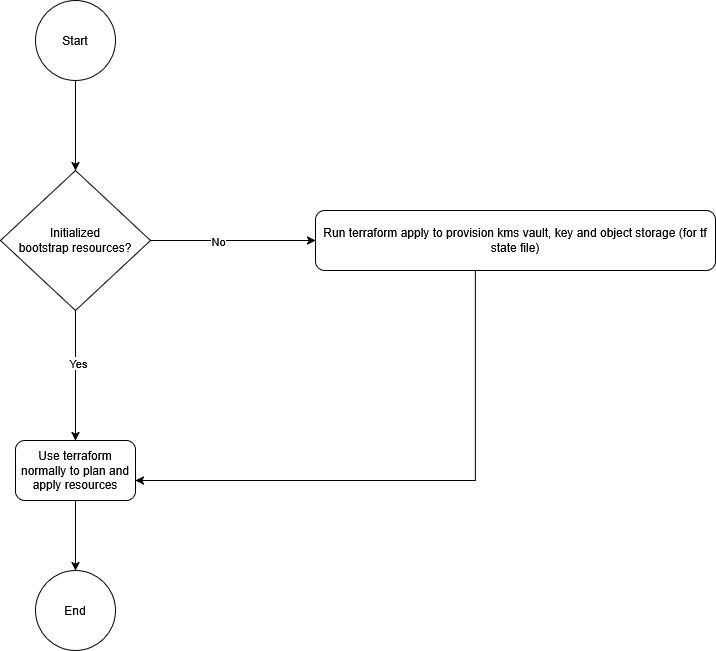
As such, the flow of how one should setup the Boostrap Cloud Resources with Terraform can be simplified to:
Cloud Resources - Workload Resources To Be Provisioned & For What Purposes
After setting up the Bootstrap Cloud Resources, we can finally get into the main cloud resources that will be used for my personal architecture. They will be called “Workload Resources” and will perform work for me as described below:
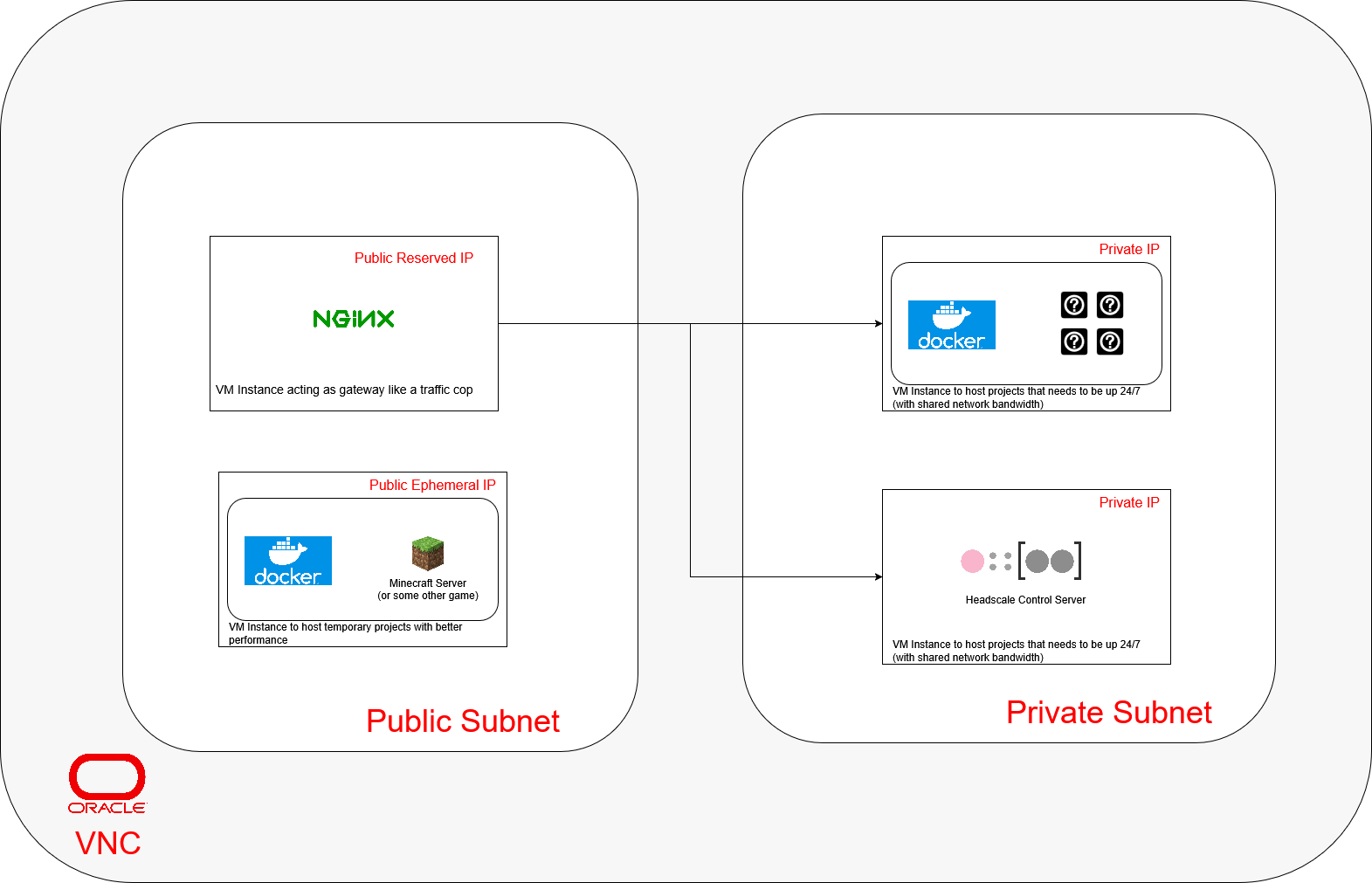
The oracle cloud architecture will comprise of mainly 4 Virtual Machines (VMs), 1 reserved public ip and 1 ephemeral public ip (since that is the limit for a Free Forever Resource Tier).
1) The first VM will exist in the public subnet with a reserved public ip to run NGINX as reverse proxy and Tinyproxy as a forward proxy. It will act as as a Secure Web Gateway, directing outside requests/connections to applications running within the private subnet and allowing them to send their responses back to the public. This VM will also serve as a bastion host for ssh connections to the private subnet VMs.
2) The second VM will exist in the public subnet with an ephemeral public ip and run a Pterodactyl Panel container, a game server management panel that allows easy hosting of dedicated game servers, and Wings a backend performing all of the logic of running game servers.
3) The third VM will exist in the private subnet with an private ip to run other future side projects.
4) The fourth VM will exist in the private subnet with an private ip and run a Headscale control server that allows my own devices to communicate with one another even when they are not in the same local network.
Cloud Resources - Workload Resources Strategies to Setup Software on VM Instances
Based on different use cases, there will be different strategies employed to setup the softwares running on these VM Instances.
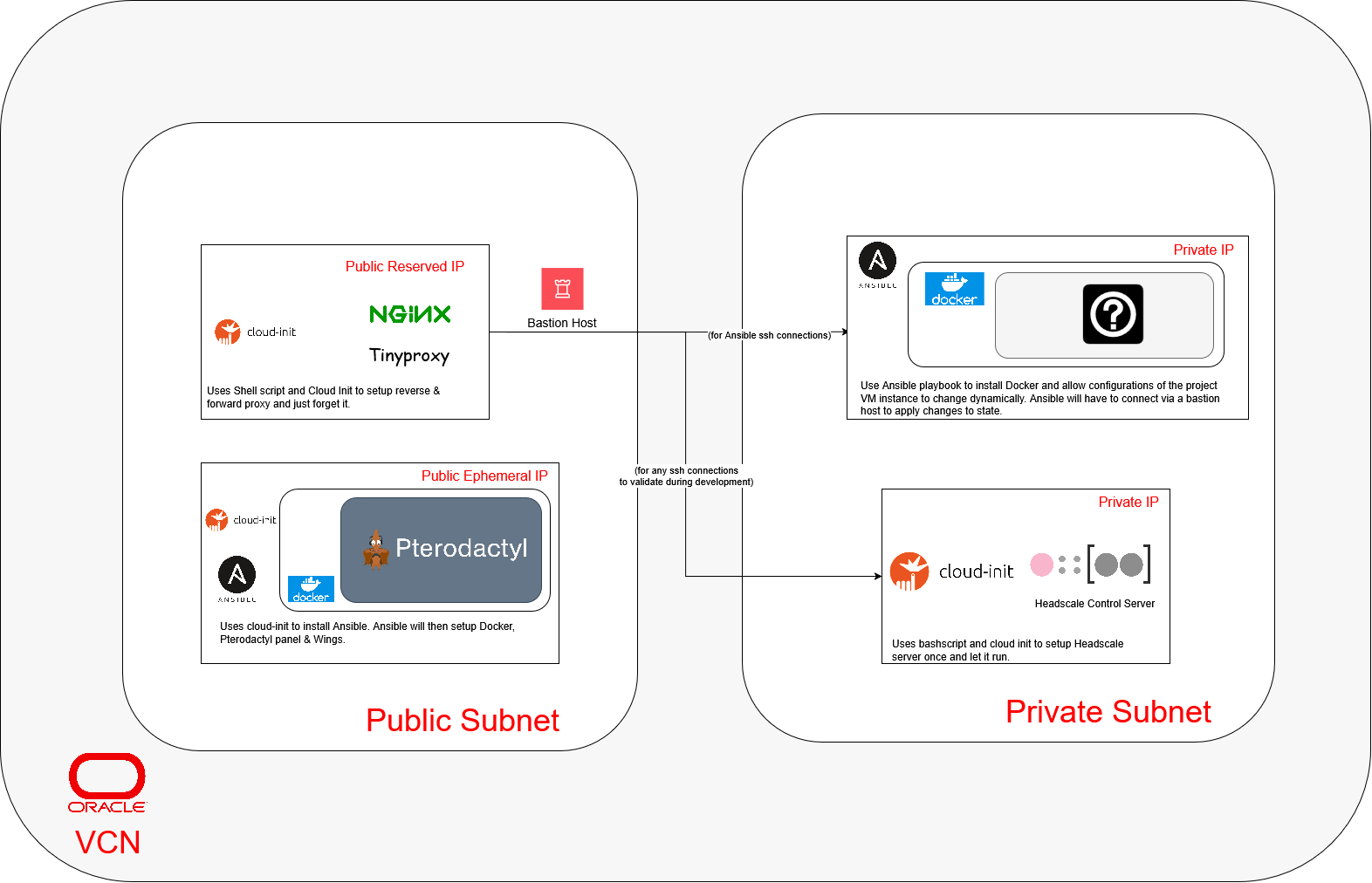
1) The first VM (the secure web gateway): Since the reverse and forward proxies are often “setup once and forget it” applications, it would be easier to use Oracle’s native Cloud-Init method to setup them up.
2) The second VM (the game server management panel): As Pterodactyl Panel is a server management application, the allocation of servers is stateful thus making Ansible a perfect choice for setting it up and maintaining it throughout its lifetime.
3) The third VM (the side project instance): As this instance is for other side projects, it would be better to play it safe to use Ansible and Docker to ensure that the instance is clean so as to allow future me the most flexibility in setting up new projects.
4) The fourth VM (the Headscale VPN Control Server): This control server is also similar to the first VM as a “setup once and forget it” application. It will use a similar method to the first VM.
Cloud Resources - Workload Resources Network Rules
This section will talk about the resources used in handling networking rules within the architecture.
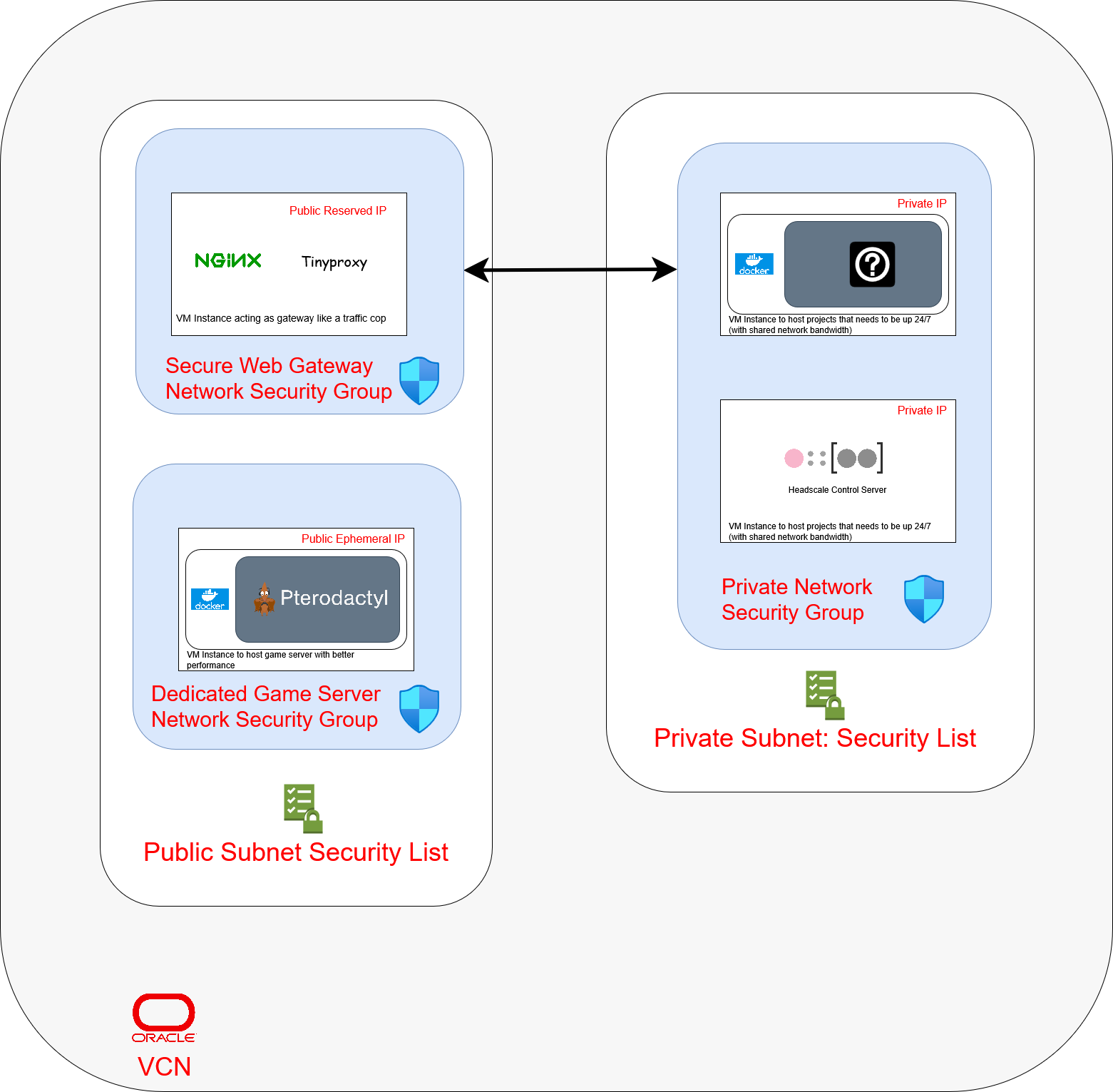
Within the Virtual Network Cloud (VCN), networking rules will be divided between Security Lists and Network Security Groups (NSG).
Security List - Public & Private
1) Will expose port 22 for SSH connections between compute resources
Network Security Groups - Secure Web Gateway
1) Will expose the necessary ports used by both NGINX & Tinyproxy on the Secure Web Network compute instance for ingress and egress directions from/towards Private Network Security Group
2) Will expose the Secure Web Network to the public internet
Network Security Groups - Dedicated Game Server
1) Will expose the compute instance’s ports to the public internet via 443 and 80 along with other game-related ports.