Oracle Cloud - 02
Pterodactyl Game Management
11 May 2026

Description
The Goal: The primary goal of this project is to create an architecture that fulfills these following needs/requirements:
1) Host a Game Management Panel and Server on a single compute instance (in this case it will be Pterodactyl Panel & Wings).
The reason for this is to allow the maximum compute resources to be allocated to a single machine as Pterodactyl’s game servers (like Minecraft or ARK: Survival Evolved) are usually reliant on single-core performance. Having multiple cores on this machine allows the game server to run heavy mods that require more cores to perform dynamic map generation and entity AI processes.
2) Allow the Game Management Panel & Server to be accessible to public
In the past, I had experimented hosting game servers within a Virtual Private Network (VPN). It worked and is more secure but has the downside of requiring the clients (my friends who want to join the game server) to install and sign up for a VPN account. This time, I wish to have the server accessible (but still behind a reverse proxy) from a public sub domain (from using DuckDNS) so that the clients could access the server by just typing in the url.
All of these must be implemented without exceeding the free forever tier limits of Oracle Cloud.
Oracle Cloud has Free Forever Resources which, if you do not exceed your usage limits, will literally remain free forever!
Cloud Resources - Provisioning & Managing Bootstrap Cloud Resources
Before all the resources mentioned above in the below section can be provisioned, it is crucial that the underlying foundation of the cloud architecture is established first. Visit this page for more information. (You can also do use this without this bootstrap infrastructure but there are many benefits with setting it up first)
Cloud Resources - Cloud Resources To Be Provisioned & For What Purposes
After setting up the Bootstrap Cloud Resources, we can finally get into the main cloud resources that will be used for the architecture.
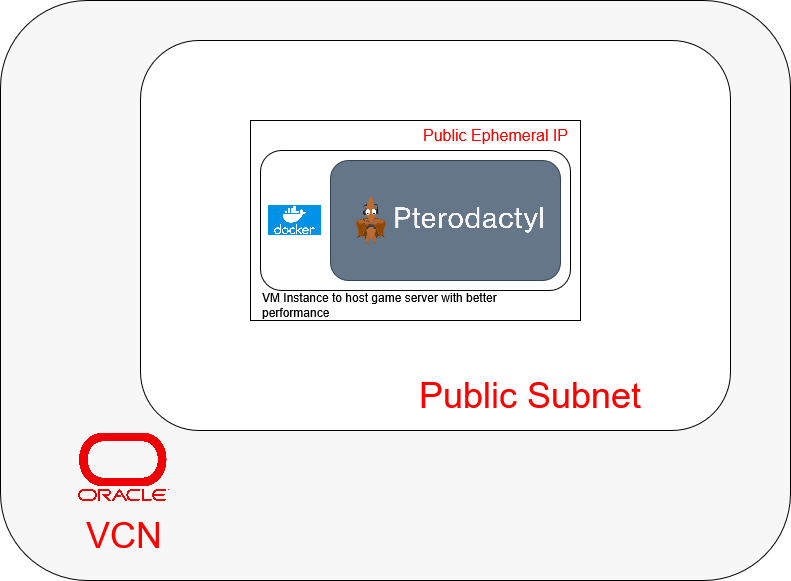
The oracle cloud architecture will comprise of mainly 1 Virtual Machine (VMs), 1 ephemeral public ip.
1) The first VM will exist in the public subnet with an ephemeral public ip and run a Pterodactyl Panel container, a game server management panel that allows easy hosting of dedicated game servers, and Wings a backend performing all of the logic of running game servers. (Using a ephemeral public ip means that the reserved public ip is freed up for other projects if needed)
Cloud Resources - Workload Resources Strategies to Setup Software on VM Instances
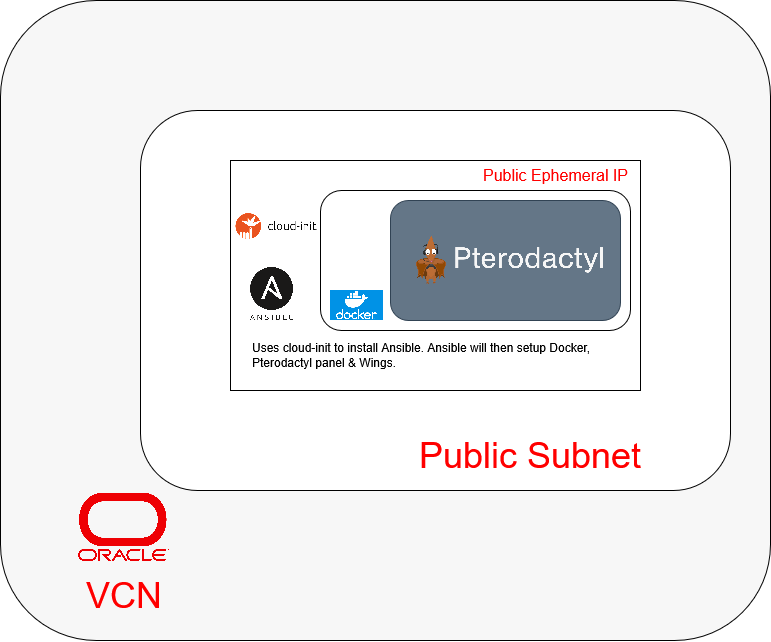
1) The first VM (the game server management panel): As Pterodactyl Panel is a server management application, the allocation of servers is stateful thus making Ansible a perfect choice for setting it up and maintaining it throughout its lifetime. However, Cloud-Init will still be used to install Ansible and any other packages at the beginning before running the Ansible playbook to setup the rest.
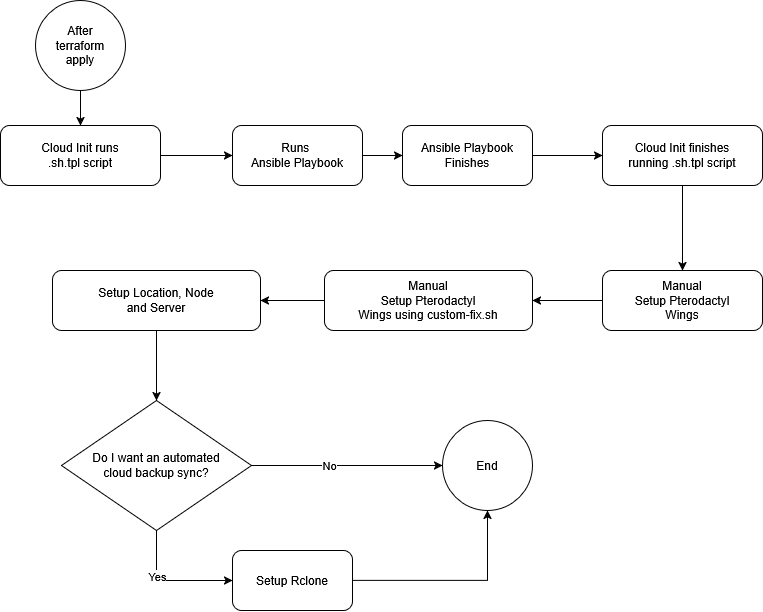
Below is an Activity Diagram to describe the entire setup process.
Cloud Resources - Workload Resources Network Rules
This section will talk about the resources used in handling networking rules within the architecture.
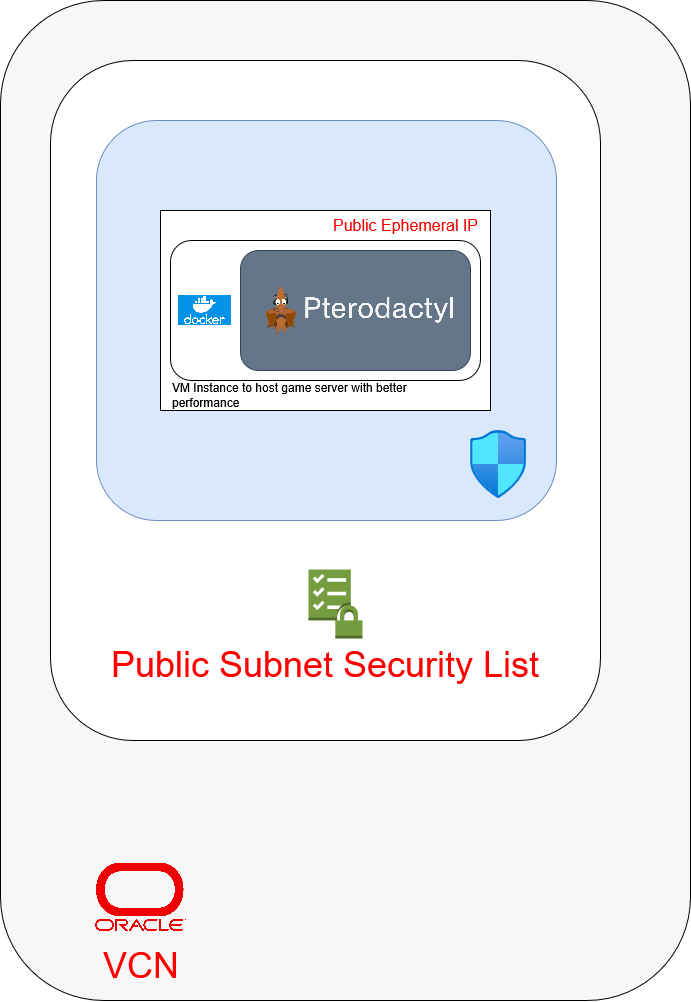
Within the Virtual Network Cloud (VCN), networking rules will be divided between Security Lists and Network Security Groups (NSG).
Network Security Groups - Dedicated Game Server
1) Will expose the compute instance’s ports to the public internet via 443 and 80 along with other game-related ports. Any other ports that ought to be exposed later on can be done so through new Terraform operation and Ansible playbook runs.
Cloud Resources - Setup Process
To setup, follow the guide in from the project repo’s readme.
Cloud Resources - Setup Process - Part 1