Oracle Cloud - 01
Headscale Control Server
11 May 2026

Description
The Goal: The primary goal of this project is to create an architecture that fulfills these following needs/requirements:
1) Host a Virtual Private Network (VPN) control server so that my other devices could all communicate with each other as if they were in a local network (crucial for self hosting).
2) Ensure that the Oracle Cloud resources and VPN control server setups are completely automated.
3) Utilise Terraform as the Infrastructure as Code’s golden source.
All of these must be implemented without exceeding the free forever tier limits of Oracle Cloud.
Oracle Cloud has Free Forever Resources which, if you do not exceed your usage limits, will literally remain free forever! This is my architecture I have come up with to allow me to utilise free cloud resources for my own projects and use cases.
Cloud Resources - Provisioning & Managing Bootstrap Cloud Resources
Before all the resources mentioned above in the below section can be provisioned, it is crucial that the underlying foundation of the cloud architecture is established first. Visit this page for more information. (You can also do use this without this bootstrap infrastructure but there are many benefits with setting it up first)
Cloud Resources - Resources To Be Provisioned & For What Purposes
After setting up the bootstrap cloud resources, we can finally get into the main cloud resources that will be used for the Headscale control server’s architecture.
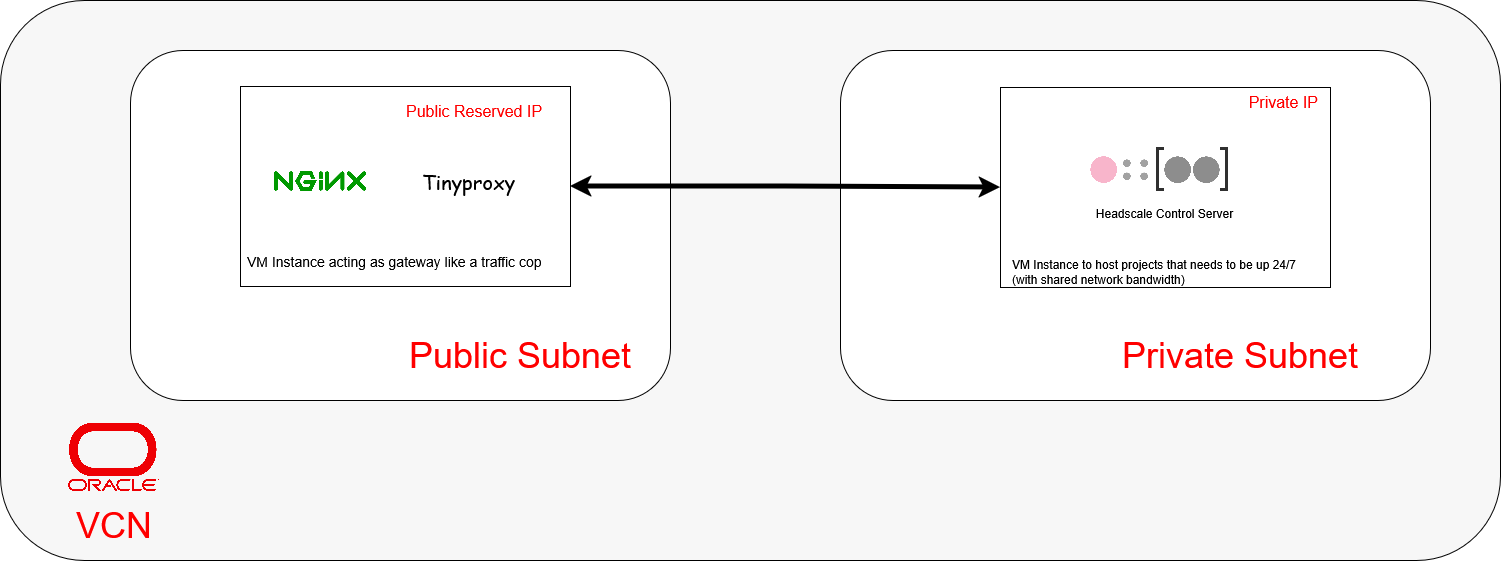
The oracle cloud architecture will comprise of mainly 2 Virtual Machines (VMs), 1 reserved public ip and 1 static private ip.
1) The first VM will exist in the public subnet with a reserved public ip to run NGINX as reverse proxy and Tinyproxy as a forward proxy. It will act as as a Secure Web Gateway, directing outside requests/connections to applications running within the private subnet and allowing them to send their responses back to the public. This VM will also serve as a bastion host for ssh connections to the private subnet VMs.
2) The second VM will exist in the private subnet with an private ip and run a Headscale control server that allows my own devices to communicate with one another even when they are not in the same local network.
Cloud Resources - Strategies to Setup Software on VM Instances
Based on different use cases, there will be different strategies employed to setup the softwares running on these VM Instances.
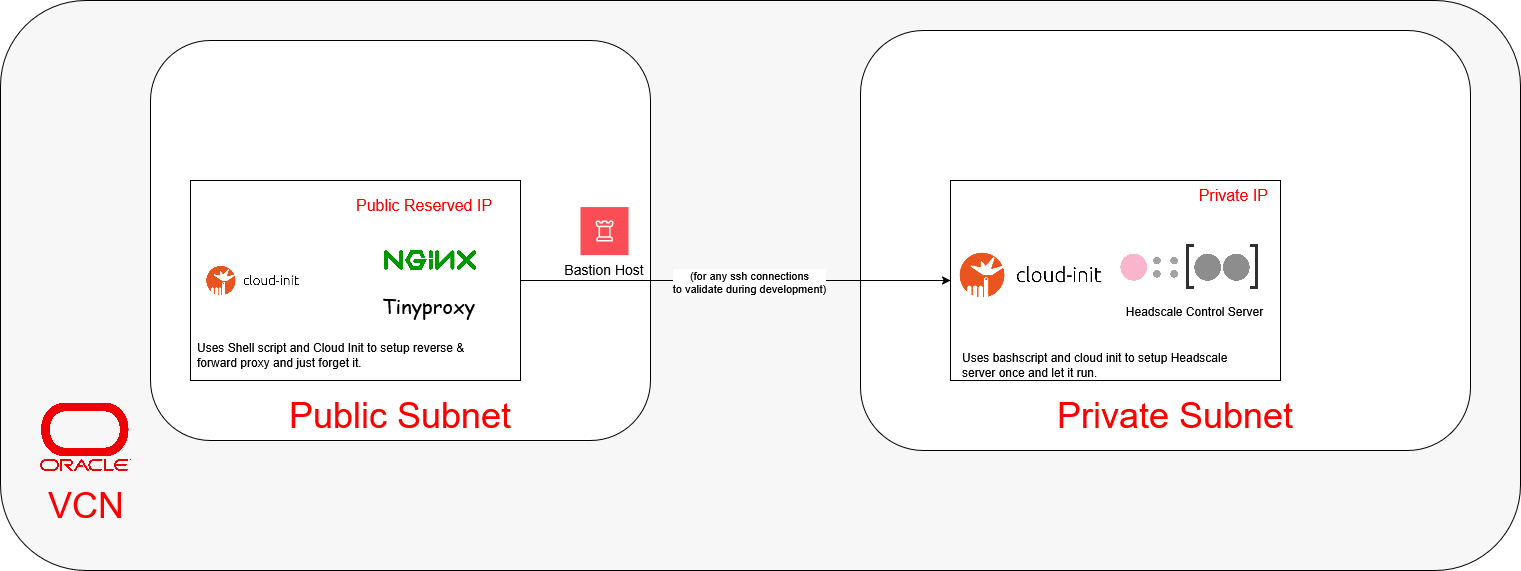
1) The first VM (the secure web gateway): Since the reverse and forward proxies are often “setup once and forget it” applications, it would be easier to use Oracle’s native Cloud-Init method to setup them up.
2) The second VM (the Headscale VPN Control Server): This control server is also similar to the first VM as a “setup once and forget it” application. It will use a similar method to the first VM.
Cloud Resources - Network Rules
This section will talk about the resources used in handling networking rules within the architecture.
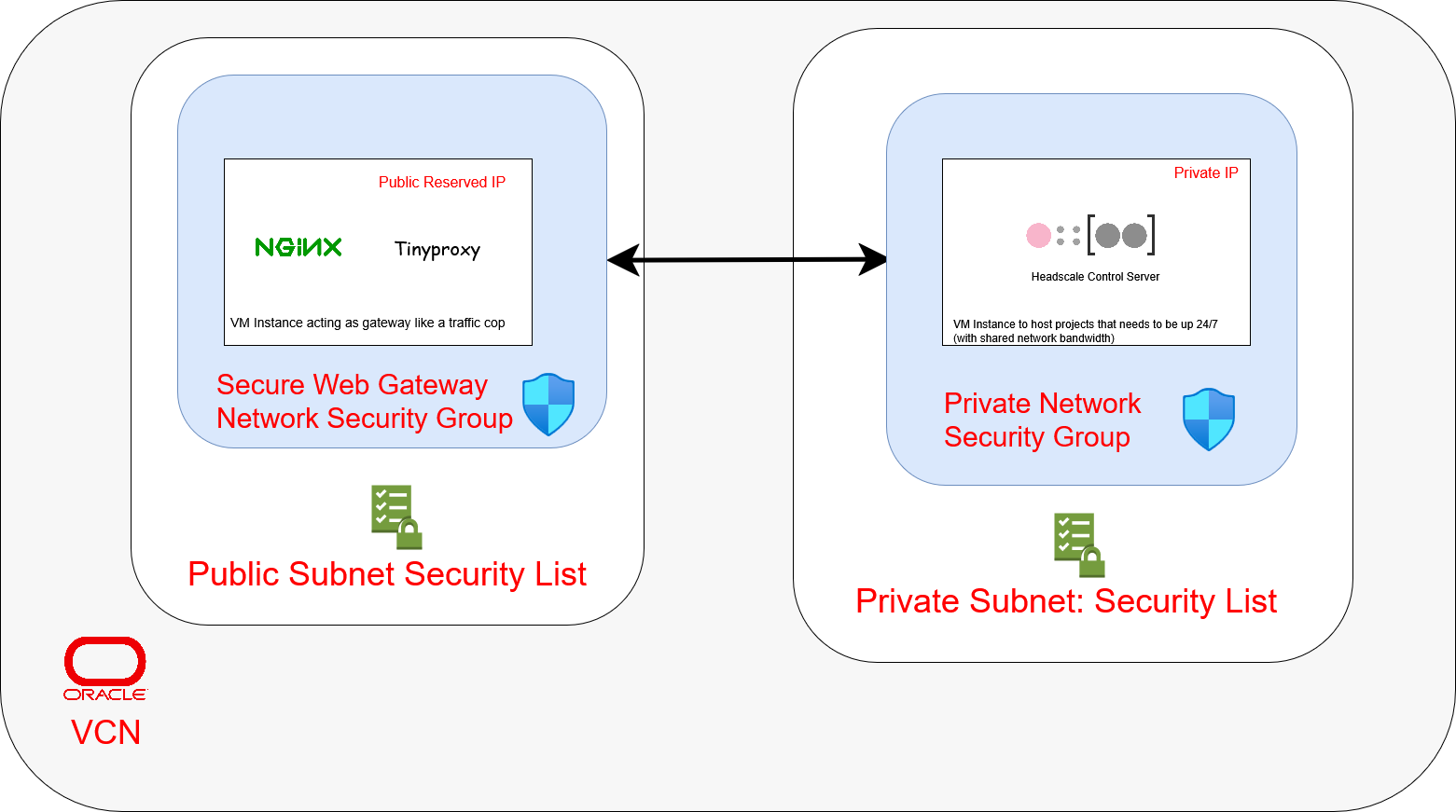
Within the Virtual Network Cloud (VCN), networking rules will be divided between Security Lists and Network Security Groups (NSG).
Security List - Public & Private
1) Will expose port 22 for SSH connections between compute resources
Network Security Groups - Secure Web Gateway
1) Will expose the necessary ports used by both NGINX & Tinyproxy on the Secure Web Network compute instance for ingress and egress directions from/towards Private Network Security Group
2) Will expose the Secure Web Network to the public internet
Cloud Resources - Setup Process
To setup, follow the guide in from the project repo’s readme.